
Windfinder: Wind & Weather map
WindfinderWeather
4.61.21K Reviews
- Version
- 3.41.1
- Installs
- 5.00M
- Age Rating
- Everyone
Screenshots
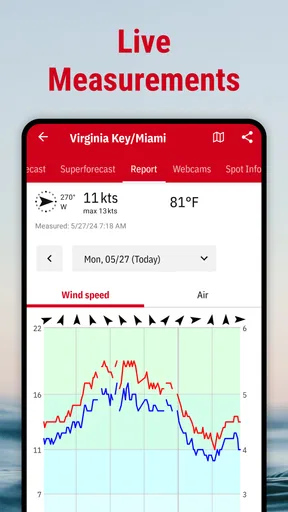
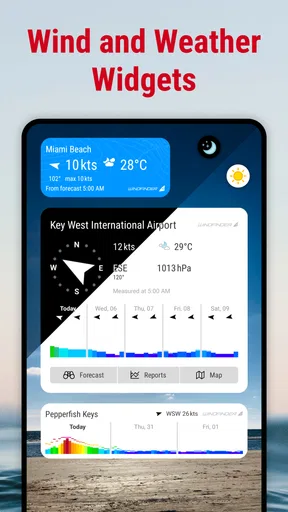
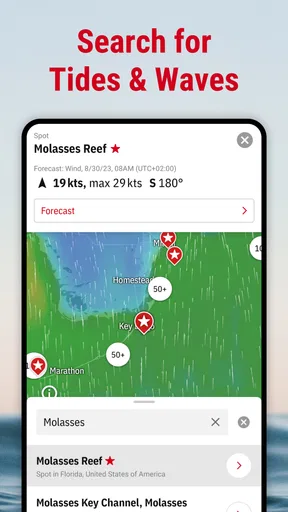
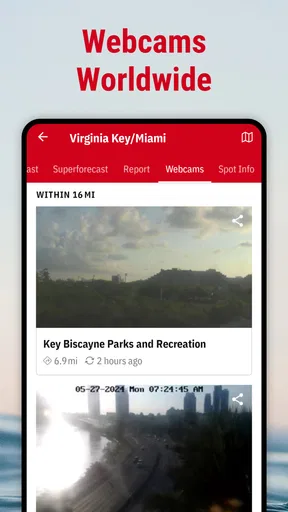
Our Review of Windfinder: Wind & Weather map
 Analysis by Appyee
When I check wind before choosing a beach, setting off in a small boat, or deciding whether an outdoor plan is sensible, I want more than a generic sun-and-cloud icon. Windfinder is built around the conditions that can make or break those plans. I find it most useful when wind, waves, or tides matter as much as the chance of rain, though its information can also help me think through an ordinary day outside.
Reading the conditions at a glance
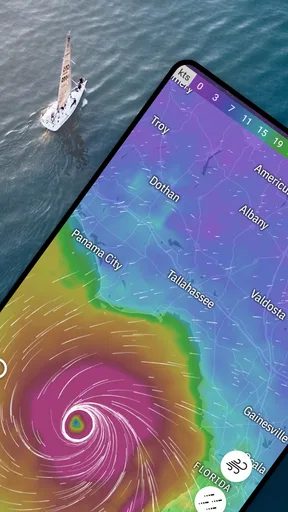
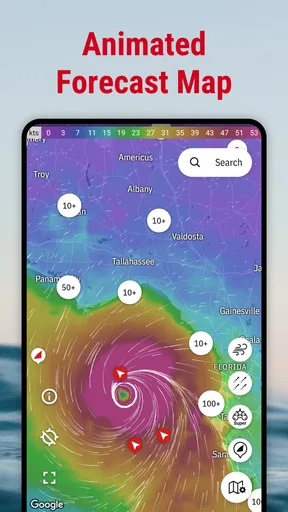
The map gives wind a prominent place, which is a welcome change from weather apps where gusts and direction are buried beneath a general forecast. I can look at a location and get a visual sense of how conditions vary around it, then zoom in when a nearby coast, lake, or sailing area is more relevant than the town forecast. Color coding makes the broad pattern quick to read, but I still treat the map as a starting point rather than a substitute for checking the figures and forecast details.
That distinction matters if I’m comparing two possible spots. A wide view can suggest which area looks more promising, while a closer look helps me focus on the place I might actually visit. I would avoid choosing based on color alone: a map is excellent for seeing patterns, but activity decisions still call for checking wind speed and direction and considering how those conditions fit my own experience.
Useful detail without losing the bigger picture
In my experience, the strongest reason to keep Windfinder around is the combination of map-based wind information with forecasts for tides and waves. A standard weather app is often enough when I only need to know whether to take a jacket. It is less useful when I’m weighing whether a shore outing is likely to be comfortable, or whether wind and water conditions deserve a closer look. Windfinder makes that comparison feel like part of the same planning task.
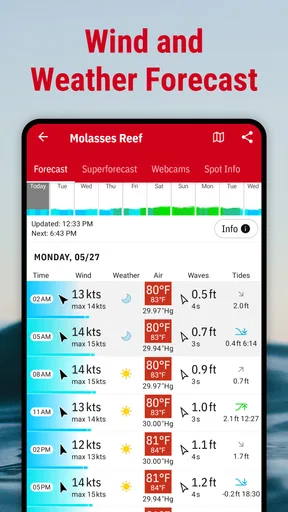
The app also offers a 10-day forecast, which I use to sketch out possibilities rather than lock in a plan too early. Longer-range weather can change, so I would treat it as a way to identify promising days and then revisit the details closer to the outing. For the near-term view, the Superforecast is intended for people who want higher-resolution forecast information refreshed multiple times a day. That extra detail is useful when timing matters, but it does not remove the need to use judgment or check conditions again before heading out.
Alerts can make the app more practical when I’m not checking it constantly. I can set notifications around weather conditions that matter to a plan, rather than relying on memory to reopen a forecast. The trade-off is that an alert only helps if I choose conditions that are meaningful to me and understand what they imply for my activity. I wouldn’t use a notification as a green light to go on the water; I’d use it as a prompt to review the latest forecast.
A realistic way to plan an outing
Say I’m considering a Saturday beach trip with friends, and one person wants to try a wind-dependent water sport while the rest of us mainly want a comfortable place to spend the afternoon. I can compare the forecast for the beach with another nearby spot, check the wind pattern on the map, and look at waves and tides before we settle on a location. If the outlook is uncertain, the longer forecast helps us keep another day in mind, while an alert can remind me to check again as the weekend approaches.
That workflow is more useful than opening a generic forecast, seeing a temperature, and assuming the day will work for every activity. It also helps me explain a decision to the group: the issue may not be rain, but wind direction or water conditions. I would still check the latest information before leaving, and I’d be ready to change plans if the conditions no longer suit the least experienced person in the group.
Who will get the most from it
I’d recommend Windfinder to sailors, surfers, kiteboarders, boaters, and anyone who regularly plans around wind or water. It can also earn a place on the phone of a hiker, camper, or outdoor event organizer who wants wind to be part of the decision, even if they do not need a specialist forecast every day. The app comes from Windfinder, a developer whose name fits its focused purpose, and its long history in the weather category is reflected in a 4.7 average from around 92,000 ratings.
By contrast, someone who only wants a quick answer about whether to carry an umbrella may find the map and activity-specific details unnecessary. A familiar general-purpose weather app may be quicker for checking the day’s temperature and rain at a glance. I see Windfinder as a focused companion rather than a replacement for every weather tool: its value rises when wind, tides, or waves affect what I’m planning.
How the app feels in everyday use
When I first downloaded Windfinder, I was immediately struck by its clean and intuitive interface. Setting it up was a breeze—pun totally intended. All you need to do is allow location access, and the app quickly pulls up a detailed weather map centered on your location. It’s like having a personal weather station in your pocket!
The primary screen presents a comprehensive map with layers for wind speed, direction, and weather patterns. You can easily switch between different modes to see what's happening in the atmosphere around you. It’s super handy for someone like me who loves outdoor activities.
Features That Stand Out
What really sets Windfinder apart are its customizable weather alerts. You can set the app to notify you when specific weather conditions are met, which is a game-changer if you’re planning an event or activity that depends on the weather.
Another nifty feature is the Superforecast. For those who are serious about their weather data, this feature provides high-resolution forecasts that are updated multiple times a day. Whether you’re a sailor, surfer, or just someone who needs precise weather info, this feature is a godsend.
Exploring the Map and Data
The map itself is a joy to explore. You can zoom in and out to get a granular look at specific areas, and the color-coded wind patterns make it easy to understand what’s going on at a glance. Plus, there’s a 10-day weather forecast available, which is pretty robust for planning ahead.
One of my favorite parts? The app includes tide forecasts and wave heights. If you’re into water sports, this is invaluable. No more guessing if the waves are going to be worth catching—you’ll know before you even pack your board.
Readability, navigation, and different ways of using it
I like that the map gives me a visual route into the information instead of forcing me to begin with a long list of locations. That can be especially helpful when I’m deciding between several nearby spots: I can explore the region first, then focus on the forecast that is relevant to the outing. The same map-first approach may feel less direct if all I want is a quick temperature check, so I see the layout as a good fit for planning rather than the fastest possible glance at everyday conditions.
For a less experienced user, I’d suggest starting with one familiar location and learning how its wind and forecast display relate to what the weather actually feels like there. Then compare a second location before relying on the map for a new area. That small habit makes the colors and direction information easier to interpret, and helps avoid treating a striking map view as a simple “go” or “don’t go” signal.
Motor and sensory considerations
Windfinder’s visual map is useful if I prefer to scan spatial information rather than move through several forecast screens, but that same visual richness can take concentration. When I’m outdoors in bright light, in a hurry, or dealing with a small phone screen, a broad map may be harder to inspect than a compact forecast. I’d check the details before setting off instead of trying to make a careful decision while walking, handling equipment, or managing a boat.
Alerts offer a different way to keep an eye on changing conditions, since they can bring my attention back to the forecast without requiring me to repeatedly open the map. I’d keep them selective: too many notifications can become noise, while a few tied to the plan I’m actually considering are easier to act on. For anyone who finds dense visual information tiring, using one saved area or a small set of familiar locations can make the routine more manageable.
Access in changing situations
The app is free to download, with in-app purchases ranging from $0.99 to $12.99 per item. It has an Everyone content rating, and its current version is 3.38.5; it was released on June 15, 2010. Windfinder has reached over 5 million installs, which gives a prospective user a sense of its broad uptake, though popularity alone cannot tell me whether its map-led style will suit an individual.
For access on the go, location permission can bring up local conditions quickly, while checking a planned destination is useful when I’m still at home and deciding where to go. I’d use the latter approach when I want to compare alternatives without depending on a live location fix. Windfinder is available for Android and iOS, and its minimum operating-system requirement is version 7.0, so I would check that a device meets the requirement before planning to rely on it.
The app supports multiple languages, which can make its weather information more comfortable to use for people who prefer another language. Still, weather terms and wind direction can be unfamiliar even when the interface is readable. If I’m planning an activity with real consequences, I’d take time to understand the information in advance rather than assume that a translated label or colored map will explain every local condition.
Where I still see friction
Windfinder is not the app I’d choose for every weather question. Its specialist emphasis asks me to engage with more than a basic daily forecast, and that can feel like extra work if I’m only deciding whether to bring a coat. I also wouldn’t treat a forecast, even a detailed one, as a promise that conditions at a particular point on the shore will match what I see on the screen. Local surroundings and changing weather make a final on-site judgment important.
There is also a practical learning curve in knowing which information matters for a specific activity. A beginner may see wind, wave, and tide details and still be unsure how to combine them. I’d use the app to prepare better questions and compare options, not as a substitute for experience or appropriate safety guidance. For a simple city commute, a standard forecast may be clearer; for a water outing, Windfinder’s extra focus is precisely why I’d open it.
A thoughtful choice for outdoor planning
Using the app is straightforward. The developers clearly put a lot of thought into making sure everything is within reach, without overwhelming the user with too much information. It’s a delicate balance, but Windfinder nails it.
The app is available on both Android and iOS, and it performs beautifully on both platforms. I didn’t experience any lag or crashes, which is a huge plus in my book. The app also supports multiple languages, making it accessible to a global audience.
My take before you download
Overall, I’m pretty impressed with Windfinder: Wind & Weather map. It’s not just for hardcore weather enthusiasts either. Whether you’re planning a simple picnic or embarking on a sailing adventure, this app keeps you informed and prepared.
If you’re curious and want to give it a whirl, you can find it on both the Google Play Store and the Apple App Store. Trust me, it’s worth the download. You’ll wonder how you ever planned anything without it!
Verdict
Strengths of Windfinder: Wind & Weather map
- Accurate real-time weather updates.
- User-friendly interface with easy navigation.
- Detailed forecasts for multiple locations.
- Customizable alerts for weather changes.
- Supports offline viewing of saved maps.
Limitations of Windfinder: Wind & Weather map
- Limited features in free version.
- Occasional ads can be disruptive.
- Requires internet for live updates.
- Some features need premium subscription.
- Not all locations covered extensively.
Other Releases by Windfinder
View All
Windfinder Pro: Wind & Weather
Weather4.7
Similar Picks in This Category
View All
Weather - By Xiaomi
Xiaomi Inc.4.1

Weather & Radar Forecast
WetterOnline4.8

Weather
OneLouder Apps4.6

AccuWeather: Weather Radar
AccuWeather3.6

The Weather Channel - Radar
The Weather Channel4.6

1Weather Forecasts & Radar
OneLouder Apps4.3
Frequently Asked Questions
What features does Windfinder offer for weather tracking?
Windfinder provides detailed wind and weather forecasts tailored for outdoor enthusiasts. Users can access real-time wind speed, direction, and gusts, along with temperature, precipitation, and cloud cover updates. The app also features tide forecasts and weather maps, making it a comprehensive tool for planning activities like sailing, surfing, or kite flying.
Is Windfinder free to use, or are there any subscription plans?
Windfinder offers both a free version and a paid subscription known as Windfinder Plus. The free version provides basic weather data, while the Plus version offers enhanced features such as hourly forecasts, ad-free browsing, and access to more detailed weather maps. Users can choose based on their needs and preferences.
How accurate are the weather forecasts provided by Windfinder?
Windfinder uses data from reliable meteorological sources, combining it with advanced forecasting models to provide accurate weather predictions. While no forecast can be 100% accurate, many users find Windfinder to be highly reliable, especially for wind-related data. It’s always recommended to cross-check with other sources for critical planning.
Can Windfinder be used offline, and how does it perform in remote areas?
Windfinder allows users to download maps and forecasts for offline use, which is particularly useful in remote areas with limited connectivity. While real-time updates require an internet connection, the offline feature ensures that users can still access vital weather information when planning outdoor activities.
What platforms is Windfinder available on, and is it easy to use?
Windfinder is available for both Android and iOS devices, offering a user-friendly interface that makes navigating the app straightforward. The intuitive design allows users to easily find and understand weather data, making it accessible for both beginners and experienced outdoor enthusiasts alike.
